Logs
Track and diagnose every error your workflows produce from execution failures to deployment issues.
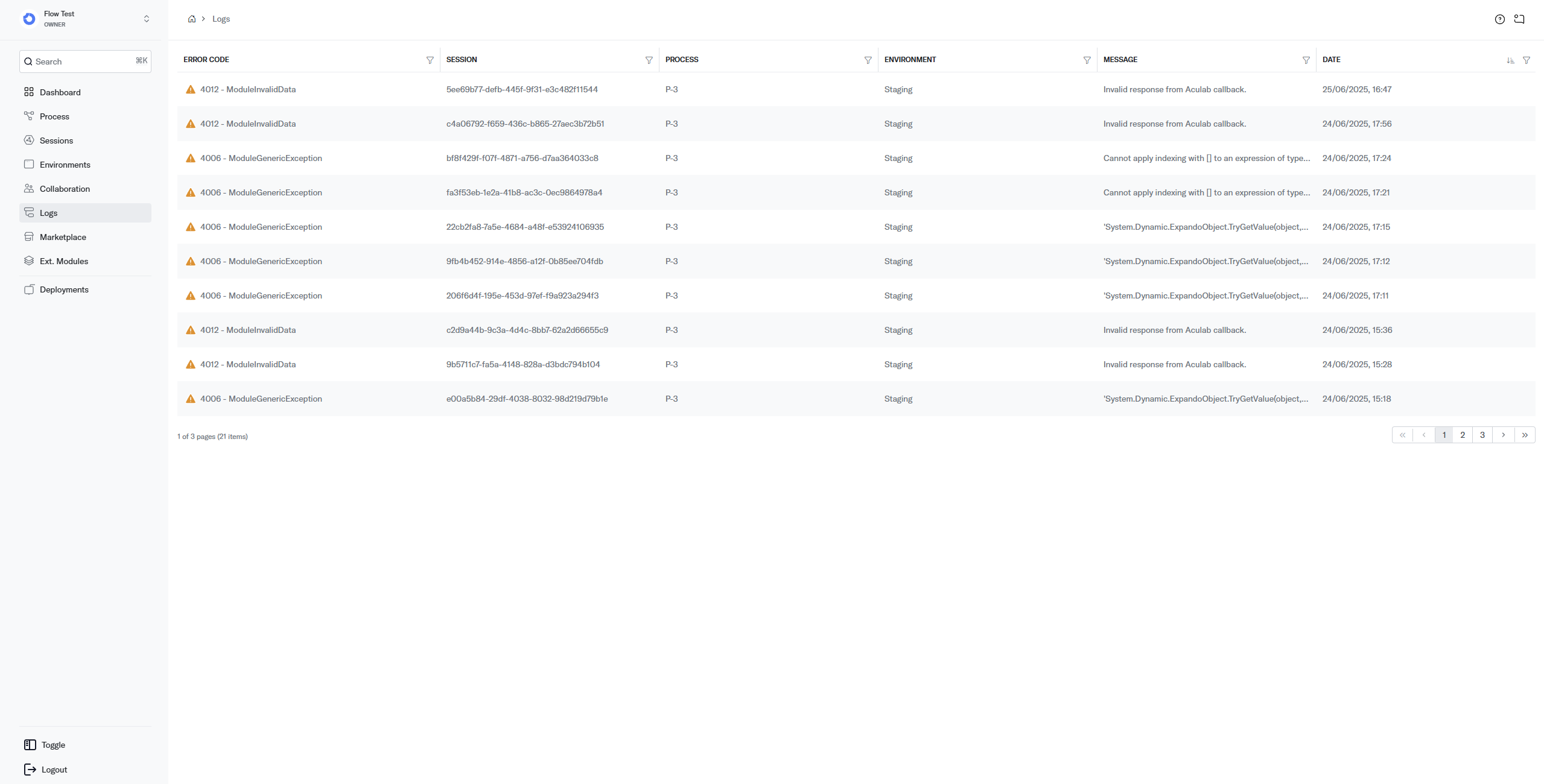
The Logs page aggregates all error and warning entries generated across your Workspace. Use it to identify recurring problems, trace errors back to specific Sessions, and understand what went wrong during workflow execution or deployment.
How it works
Whenever the engine encounters an error during Session execution, deployment, or Module processing, it creates a log entry with a numeric error code, the associated Session and Process, and a descriptive message. Logs are listed in reverse chronological order so the most recent issues appear first.
Fields
- Error Code the numeric code and name identifying the error. See Error Codes for the full reference.
- Session the Session ID that generated the error. Click to open the Session Details.
- Process the name of the Process where the error occurred.
- Environment the name of the Environment where the error occurred.
- Message the full error message with details about what went wrong.
- Date date and time the error was generated.
Best practices
- Check Logs after every deployment catch configuration or Process definition errors early before end users are affected.
- Use error codes to guide resolution each code has a specific resolution. See the Error Code Reference for step-by-step fixes.
Related pages
- Error Codes full reference of all error codes with resolutions.
- Sessions inspect the Session that produced an error.
- Environments fix configuration issues flagged in the logs.